
Video Player
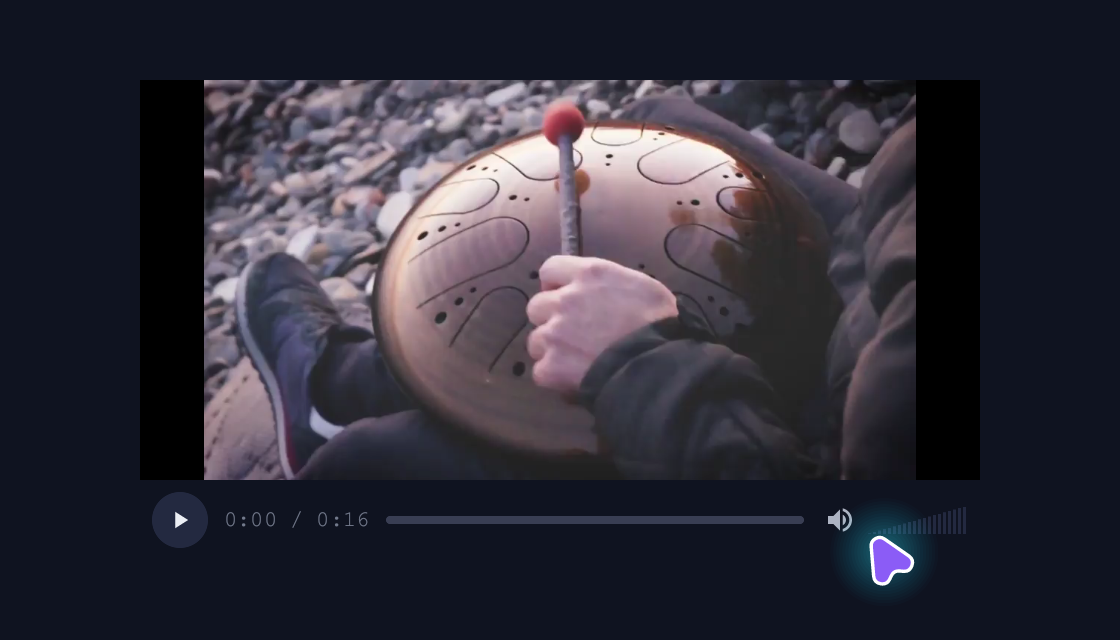
Native video surfaces with shared transport, seeking and volume controls.
use blinc_layout::prelude::*;

pub fn video_player_demo(video: std::rc::Rc<std::cell::OnceCell<std::rc::Rc<blinc_media::VideoPlayer>>>) -> Div {
    let player = video.get_or_init(|| {
        let player = std::rc::Rc::new(blinc_media::VideoPlayer::new());
        #[cfg(not(target_arch = "wasm32"))]
        {
            player.load_bytes(include_bytes!("../../assets/handpan.mp4").to_vec());
            let deadline = std::time::Instant::now() + std::time::Duration::from_secs(3);
            while player.current_frame().is_none() && std::time::Instant::now() < deadline {
                std::thread::sleep(std::time::Duration::from_millis(10));
            }
            player.pause();
        }
        #[cfg(target_arch = "wasm32")]
        player.load_url("/components/source/assets/handpan.mp4");
        player
    });
    div().class("demo-wide").child(
        blinc_layout::widgets::media::video_player(player.clone())
            .w_full()
            .h(240.0)
            .into_div(),
    )
}
@layer components {
  .blinc-media-play-btn {
    background: var(--surface-elevated);
    color: var(--text-primary);
  }

  .blinc-media-time,
  .blinc-media-volume {
    color: var(--text-tertiary);
  }

  .blinc-media-mute-btn {
    color: var(--text-secondary);
  }

  .blinc-media-seek-rail {
    background: var(--surface-elevated);
  }

  .blinc-media-seek-fill {
    background: var(--primary);
  }

  .blinc-media-live-badge {
    background: var(--error);
    color: #ffffff;
  }
}
Usage and properties
Live playback uses browser media decoding with the same Blinc controls as the native preview. Playback starts when you press Play.
Use the installation guide to create a Blinc application. This widget is available from blinc_layout; the demo uses the same Hybrid theme as the component library. Create the fixture bindings once, and return the demo from your UI builder. Values marked Bound accept Signal/Computed sources where the API supports them; structural options configure the component at construction.
| Property | Type | Update model | This example |
|---|---|---|---|
player | Rc<VideoPlayer> | Shared player | ashui handpan session |
width / height | layout size | Construction | container width / 240 |
Keyboard and interaction
Native transport controls support pointer interaction. Playback is not available in the worker gallery.
Customizing it
Add application CSS after the default component layer. These selectors are the restyling surface for this component:
.blinc-video-player.blinc-media-controls
Theme and component variables: --primary, --text-primary, --text-secondary, --surface, --border, --radius-default, --duration-fast, --ease-state.
Built-in themes
The Live theme control installs Blinc's own theme bundles, including their colours, focus rings, corner shapes and motion tokens.
pub fn theme_bundle_for(name: &str) -> blinc_theme::ThemeBundle {
    match name {
        "restrained" => blinc_theme::RestrainedTheme::bundle(),
        "expressive" => blinc_theme::ExpressiveTheme::bundle(),
        _ => blinc_theme::HybridTheme::bundle(),
    }
    .with_css(blinc_cn::cn_styles::CN_STYLES)
}
Download the default widget and component stylesheets. Sample assets and licenses are available in the asset guide.
Documentation
From the canonical component guide.
use std::rc::Rc;
use blinc::layout::widgets::media::video_player;

let player = Rc::new(VideoPlayer::new());

video_player(Rc::clone(&player))
    .show_dimensions()
    .w_full()
    .h(400.0)
    .into_div()
Platforms and version
The component API is available in Blinc 0.6.0. The Live example runs in a dedicated worker and requires a compatible GPU surface. Preview and Code remain available when Live cannot start. The canvas has a descriptive label; a full screen-reader DOM mirror is not provided. The gallery integration is based on revision e2e55c24e078.
Recordings and live demos use the default Hybrid theme with bundled Noto Sans. The recording uses a 560 × 320 logical viewport at twice that resolution. Live follows its container and actual display density. Source base revision · Exact build source · Artifact versions and checksums · Font license.